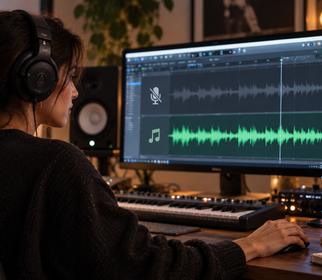
What do you need for karaoke?
For popular songs, a ready-made karaoke version may already exist on video platforms. For new, niche or your own songs there usually isn’t one. In that case you need to remove the vocals and then sync the lyrics with the music. That used to take separate tools and manual timing; today AI does both together.
Step-by-step karaoke with Song Go
- Upload the song or pick one from your library. Song Go Karaoke Maker accepts MP3, WAV, M4A and AAC (up to 20 MB).
- Choose the song’s language for more accurate lyrics.
- Let it build the karaoke. The AI separates the vocals, transcribes the lyrics and finds the timing of every word.
- Sing. Lyrics flow with the music, word by word.
- Record if you like. Sing into your mic; Song Go mixes your recording with the music and saves it to your library as a new song.
Tips for a better recording
- Wear headphones. Music from speakers bleeding into the mic muddies the recording.
- Pick a quiet, soft room. Curtains and rugs reduce echo.
- Keep a steady distance from the mic. About 15–20 cm is a good start with a phone.
- Listen once first. Knowing the lyrics and entrances makes recording easier.
Only need the instrumental or stems?
If you don’t need lyrics and just want the music without vocals, the Vocal Remover is quicker. See how to remove vocals from a song for details.
Frequently Asked Questions
Can any song be turned into karaoke?
Yes, songs you upload and songs you make in Song Go. Publishing karaoke of someone else’s song beyond personal use requires the rights holder’s permission.
Do I have to type the lyrics?
No. Lyrics are transcribed from the song automatically and timed word by word.
How much AI Usage does karaoke cost?
Karaoke costs 50 AI Usage in Song Go; mixing your recording with the music is free.