How does AI make a song?
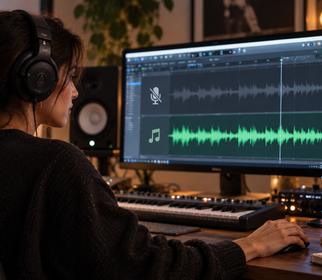
AI music models learn patterns of genre, rhythm, chords and vocals from a huge amount of music. When you write a request, the model fits lyrics (or your lyrics) into a song structure, then generates a matching melody, instrumental arrangement and vocal performance. The result is one finished audio file; no multitrack recording needed.
In Song Go this happens on one screen: write your idea, adjust settings if you like, and the AI Song Maker creates two different takes. Listen to both and keep your favorite.
Step by step: make your first song
- Write the topic. Who is it for, and why? For example: “An upbeat pop song for my sister Emma’s graduation, with her name in the chorus.”
- Add details. A shared memory, a city, a nickname. The AI weaves them into the lyrics.
- Pick genre and mood. Pop, rock, rap, country, acoustic… Happy, emotional, energetic. Skip it and the model chooses.
- Pick a voice. Female, male, duet or fully instrumental.
- Create and listen. The first version is usually playable in about a minute; the full song is ready within a few minutes.
- Keep and download. Rename it, download it as MP3 and share it.
7 tips for better AI songs
- Describe the style, not an artist. Write “acoustic guitar, soft drums, 90s pop feel”; artist names don’t help and raise copyright concerns.
- Set the tempo. “Slow and emotional” and “fast and danceable” produce very different songs.
- Name instruments. Piano, strings, banjo, synths, 808 bass: concrete instruments steer the result.
- Be clear about names. If a name matters, ask for it in the chorus or place it in your own lyrics.
- Short but specific. Two or three sentences beat a one-word request every time.
- Compare both versions. One may have better lyrics, the other a better melody; re-running the same prompt also gives new results.
- Choose the model for the job. Studio is clean and balanced, Creative is bolder, Mini is for quick drafts.
For lots of examples, see how to write AI song prompts.
Making a song from your own lyrics
If your lyrics are ready, choose “My own lyrics”. Your words are sung exactly as written; the AI only creates the melody, arrangement and vocals. Splitting lyrics into verses and a chorus makes the song’s structure clear.
| Section | What it does |
|---|---|
| Intro | A short instrumental opening that sets the mood |
| Verse | Tells the story; different lyrics in each verse |
| Chorus | The catchy, repeating part; put the name and main message here |
| Bridge | A short change of feel before the final chorus |
After your song is ready
You can keep working on it: separate the vocals and music, turn it into karaoke or remake it in another genre. Making a personal gift? See the guide to a birthday song with a name.
Frequently Asked Questions
Can I make a song with AI for free?
New Song Go members get 300 free AI Usage, which is 3 song generations (6 versions). After that you continue with a Starter or Pro plan.
Can AI sing in languages other than English?
Yes. Write your prompt or lyrics in Turkish, Spanish, German or many other languages and the song is sung in that language.
How long does it take to make a song?
The first version is usually playable in about a minute, and the full song is finished within a few minutes.
Can I share a song I made with AI?
Yes for personal sharing. For monetized channels and commercial projects, Song Go requires a Starter or Pro plan.